

I want to share an idea that came to me from my own routine. It is not a big invention, it is rather an observation about something I do again and again, and about a standard which I think is missing.
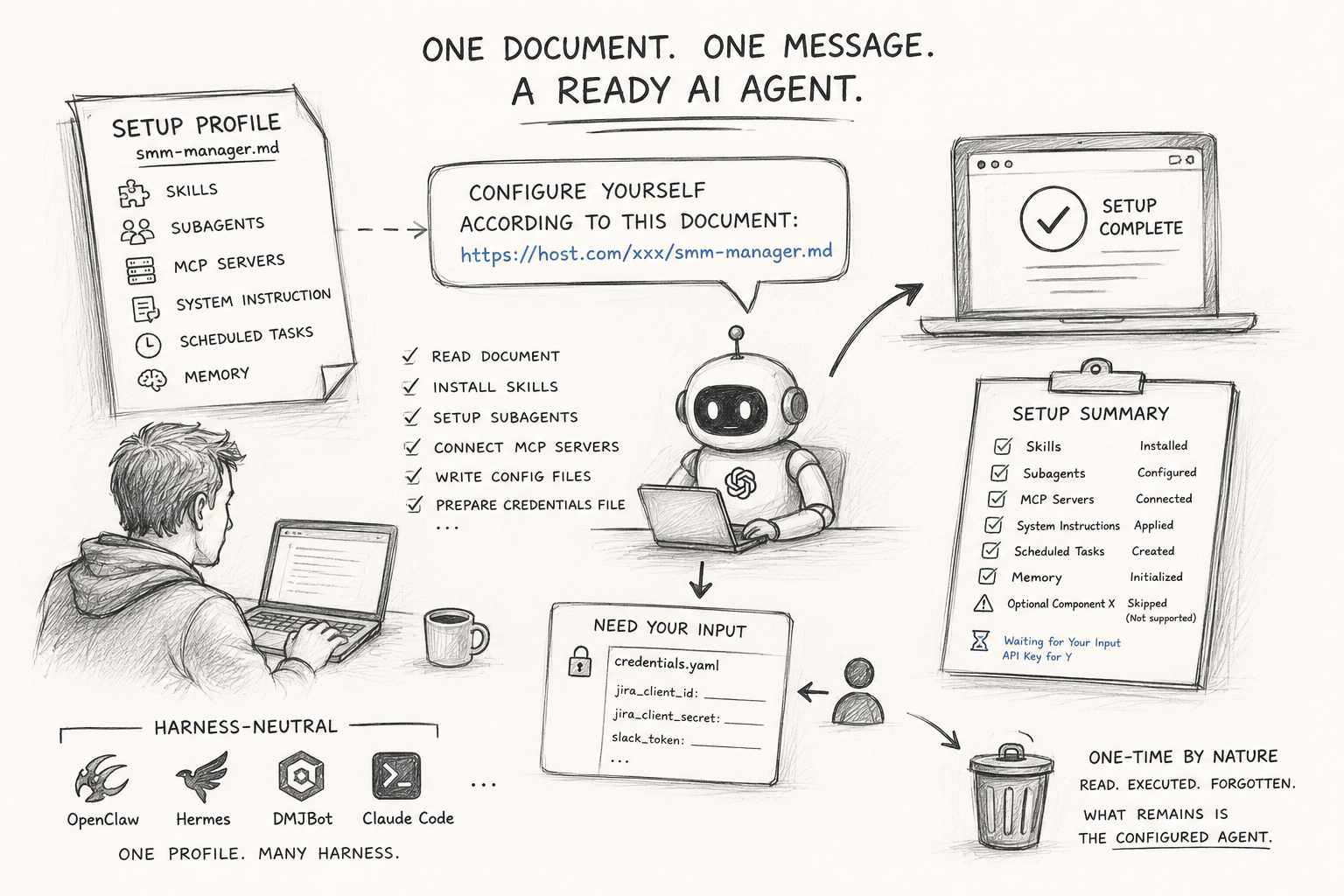
Every time I install a fresh instance of a universal AI harness, I have to configure it. It does not matter much which harness — OpenClaw, Hermes, DMJBot, or just Claude Code on a laptop. What I get after installation is a general purpose agent. It can do many things in principle, but it does nothing particular for me yet.
Then I decide what this instance should become. Let's say a social media manager agent. And here the work starts:
- a set of skills to install
- a couple of subagents to define
- several MCP servers to install, connect and give credentials to
- a system instruction describing the role, the tone of voice, the limits
- sometimes scheduled tasks, starting files, memory records
Nothing in this list is difficult. But all of it is manual, and there is a lot of it. And I do the same again on the next machine, and again after a reinstall, and again when someone asks me for "the same setup you have".